
Plan The Search And The Sales Handover.
Start With The Search Task
Separate sale and rental choices, then agree useful property type, price, bedroom and location filters. A known-reference lookup can help a returning visitor find the same listing again.
Make Each Listing Useful
Group approved photographs, floor plans, key facts and the property reference with a clear contact action. Explain how your team maintains prices and removes unavailable properties.
Keep The Follow-Up In Context
Carry the property reference and the visitor’s requirements into the enquiry. Buyers, tenants and owners seeking management may need different questions; your team confirms availability and viewings.
Relevant Work. A Clear Design Approach.
Explore the project context and the customer journey. Each example is labelled to distinguish current presentation, showcase work and earlier archived designs.
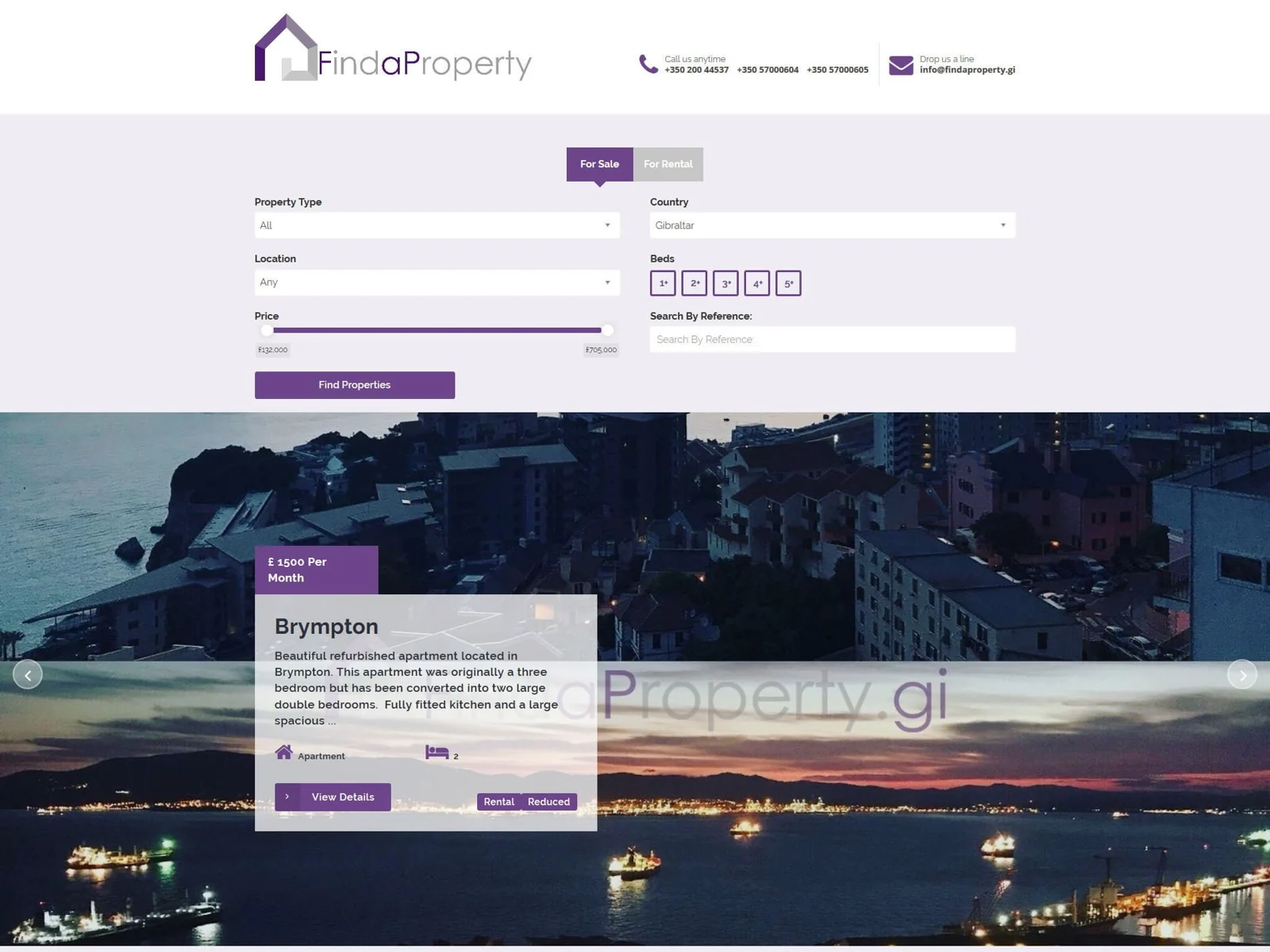 Archived Property Project · Gibraltar
FindaProperty
The archived interface combines sale and rental choices with property criteria and a featured listing. It demonstrates search and property presentation; it is not a current property feed.
Explore The ProjectMake Local Information Useful.
Location labels such as Ocean Village, the town area, South District or Eastside can help visitors when they reflect the agency’s actual inventory and expertise. Use clear, consistent listing data and useful local information. Avoid adding area pages that offer no more than a change of place name.
Choose The Right Listing Setup.
Curated Showcase
A selected collection with carefully presented property pages and an agreed update process. Define the collection size, image work and enquiry details.
Editable Catalogue
A changing inventory with defined listing fields, user access and image handling. Your team needs a clear process for sold, let or unavailable properties.
Connected Catalogue
A supported feed or CRM connection with verified permissions, field mapping and maintenance responsibilities. Confirm compatibility before committing to functionality.
Your Questions, Answered.
Can You Connect A Property Feed Or CRM?
We review the named system, its documentation, permissions and data quality before confirming an integration. Agree fields, update frequency, unavailable listings and failure handling. A feed or CRM connection is separate scoped work, not assumed in a basic website.
Can The Website Support International Enquiries?
Yes. Agree the language versions, how content is translated and reviewed, and who can respond in each language. Property references and the visitor’s requirements can be included in the enquiry journey.
Are The Portfolio Properties Currently Available?
The portfolio illustrates website design. The FindaProperty screenshots contain historical listing details. Availability, prices and information for a new live property site must be supplied and maintained by the business.
What Should We Prepare For A Property Website Brief?
Share how you manage listings, sample property data, photographs and permissions, required filters, languages and the enquiry process. Explain whether your team needs to edit listings or connect an existing system.